
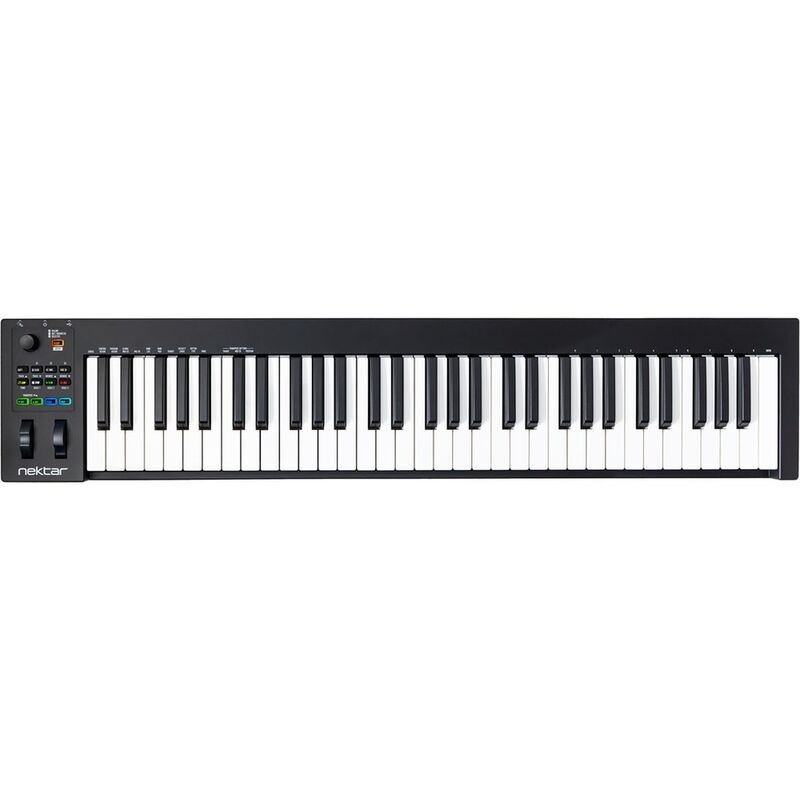
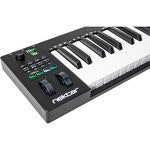
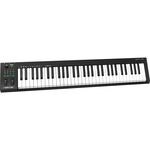


Nektar Impact GX61 MK3
Tuotenumero 50035005Nektar Impact LX61 mk3 on 61-koskettiminen MIDI-koskettimisto, jossa on 9 enkooderia, 8 liukusäädintä ja 8 padia. Syvä DAW-integraatio, NKS-tuki ja mukana tulevat ohjelmistot tekevät siitä täydellisen työkalun studioon ja lavalle.
Nektar Impact GX61 MK3 – 61-key USB MIDI controller keyboard with DAW integration and Scale function
Nektar Impact GX61 MK3 is a USB MIDI controller keyboard featuring 61 full-size, velocity-sensitive keys, designed for music production, recording and playing virtual instruments. The third generation of the Impact GX series combines an upgraded synth-action keybed with expanded DAW integration, a new full-resolution encoder and performance features that make it easier to play, arrange and record music directly from the keyboard.
The keyboard uses the same Clean-Touch mechanism found in the Nektar Impact LX MK3, offering low-friction key movement for a responsive playing feel. Dedicated pitch bend and modulation wheels, illuminated octave buttons and the new Scale and Hold functions provide additional creative possibilities. Scale keeps notes within a selected musical scale, while Hold allows notes and chords to be sustained without keeping the keys pressed.
The Impact GX61 MK3 also features extensive Nektar DAW integration. A large encoder with Click and Control can adjust parameters in compatible recording software and plug-ins, while dedicated transport buttons provide direct access to recording, playback, looping and project navigation. The keyboard connects via USB-C, is powered directly over USB and comes with a software bundle including Bitwig Studio 8-Track, BLEASS Megalit, MOK Miniraze and Melodics.
Features and functions
61 velocity-sensitive keys with an upgraded playing feel
The Impact GX61 MK3 features 61 full-size keys with an updated synth-action mechanism from the Impact LX MK3 series. The low-friction design provides a smooth, responsive feel when playing melodies, chords, basslines and other musical parts.
The keyboard is velocity-sensitive, allowing compatible MIDI instruments to respond to how firmly the keys are played. Four selectable velocity curves and three fixed velocity settings allow the response to be tailored to the player's technique and the virtual instrument being used.
Illuminated Octave buttons make it easy to shift the keyboard range up or down. The same buttons can also be used for transposition, with colour indicators helping identify the active setting.
Scale – stay within a selected musical scale
Scale is one of the new features introduced with the Impact GX61 MK3. It allows the notes played on the keyboard to be restricted to a selected musical scale, making it useful for improvisation, songwriting and exploring melodic ideas.
Scales can be selected using the keyboard's controls and quick-select buttons. When Scale is enabled, notes that fall outside the chosen scale are automatically mapped to the nearest permitted note. As a result, two adjacent keys may trigger the same pitch depending on the selected scale.
The function is useful for musicians learning scales as well as experienced players who want to experiment with melodies and harmonies quickly and intuitively.
Hold – two ways to sustain notes
The Impact GX61 MK3 features a Hold function with two modes, allowing notes to be sustained without requiring a separate sustain pedal.
In the first mode, a note is held until the next note is played, providing continuous legato-style performance. The second mode operates in a sostenuto-like manner, sustaining the notes held when the function is engaged while allowing the remaining keys to be played normally.
This makes it possible to hold a chord or sustained synthesiser sound while playing a melody over it. Hold adds expressive possibilities when working with pads, strings, synthesisers and other virtual instruments.
Click and Control – control DAWs and plug-ins with a single encoder
The new full-resolution encoder is a key feature of the Impact GX61 MK3. When used with Nektar DAW Integration, it provides hands-on control over mixer functions, virtual instruments and automatable parameters in compatible music software.
The illuminated Select button switches the encoder between three control modes:
- Channel Volume/Pan: Adjust the volume and panning of the selected mixer channel.
- Filter Cutoff/Resonance: Control filter cutoff and resonance on compatible instrument tracks.
- Click and Control: Select an automatable parameter in the software and adjust it directly using the encoder.
The encoder can also be used for functions such as navigating the timeline, setting the tempo and moving loop regions in compatible DAW applications. This reduces the need to reach for the mouse during recording and music production.
Transport controls and project navigation
The Impact GX61 MK3 provides seven dedicated transport buttons for Loop, Stop, Play, Record, Click, Rewind and Forward. These allow essential recording and playback functions to be operated directly from the keyboard.
Shift and Select provide access to additional commands. In compatible DAW software, these include opening mixer, plug-in and channel windows, selecting tracks, navigating projects, undoing actions and quantising selected events.
Nine RGB illuminated buttons provide clear visual feedback about active functions and operating modes, making the control panel easy to follow during recording and performance.
Nektar Loop Record – create loops while recording
Nektar Loop Record simplifies the process of building music around repeated phrases. Instead of deciding on a loop length before recording, musicians can begin playing freely and finish the recording with a single button press.
The function then places the loop start and end points around the recorded performance and begins loop playback. Additional musical parts can subsequently be recorded over the existing loop, allowing an arrangement to develop naturally.
Loop Record forms part of Nektar's expanded DAW integration and offers a quick workflow for improvisation, songwriting and developing musical ideas in compatible recording applications.
Nektar DAW Integration for popular music software
The Impact GX61 MK3 features Nektar DAW Integration, providing expanded control over transport functions, track navigation, mixer settings, virtual instruments and plug-ins in compatible music production software.
It is compatible with, among others, Ableton Live Suite 11 and later, Bitwig Studio 5 and later, Cubase 13 and later, Logic Pro 10.8 and later, Fender Studio Pro, FL Studio, Reason, Reaper and Studio One. Available functions may vary according to the software version and integration used.
For applications that do not support direct Nektar integration, the keyboard can operate as a standard MIDI controller. Transport buttons, the modulation wheel, encoder and connected footswitch can be assigned MIDI functions to control compatible software.
Pitch bend, modulation and programmable MIDI control
Separate pitch bend and modulation wheels are positioned to the left of the keyboard. Pitch bend allows the pitch of played notes to be altered in real time, while the modulation wheel can control functions such as vibrato, filter movement or other parameters in virtual instruments.
The controller's buttons and other controls can be programmed to transmit different MIDI messages. The seven transport buttons feature two programmable layers, providing a total of 14 assignable MIDI button functions. The controller also supports MIDI CC, Program Change and MIDI Machine Control messages.
USB-C connectivity and sustain pedal input
The Impact GX61 MK3 connects to a computer via USB-C and is USB class-compliant. This allows standard MIDI communication without a separate driver on compatible operating systems. Nektar's integration software is used to enable the expanded DAW control features.
The keyboard is powered directly over USB and normally requires no separate mains adaptor. Its USB power requirement is 500 mA. A USB-C to USB-A cable is included according to the manufacturer's specifications.
A 6.3 mm TS input on the rear panel accepts an external footswitch, such as a sustain pedal. The input can also be MIDI-assigned to other functions. The footswitch is sold separately.
The Impact GX61 MK3 can also be used with compatible iPad devices using a suitable USB connection or adaptor. It is a MIDI controller without an internal sound engine or analogue audio outputs, so compatible music software, a virtual instrument or other MIDI sound-generating equipment is required to produce sound.
Software bundle for music production
The Impact GX61 MK3 includes a software bundle providing tools for recording, music production and sound design. Software is downloaded and activated according to the relevant registration and licensing requirements.
- Bitwig Studio 8-Track: Music production software for recording, arranging and mixing with virtual instruments and effects.
- BLEASS Megalit: A software synthesiser combining wavetable synthesis with classic oscillators, filters and modulation.
- MOK Miniraze: A virtual synthesiser using wave-slicing and subtractive synthesis for both classic and experimental sounds.
- Melodics: Interactive practice software with 40 lessons designed to develop keyboard technique and musical skills.
Compact design with 61 full-size keys
Despite its 61 full-size keys, the Impact GX61 MK3 features a compact, lightweight enclosure. The keyboard offers enough range for two-handed playing, chords, melodies and basslines without occupying as much space as a larger 88-key instrument.
Measuring 965 x 197 x 70 mm and weighing approximately 2.7 kg, the keyboard is practical for home studios and mobile music production. The Impact GX61 MK3 is designed for musicians who want a larger playing range combined with direct control of their recording software.
Technical specifications
- Brand: Nektar
- Model: Impact GX61 MK3
- Product Type: USB MIDI controller keyboard / DAW controller
- Number of Keys: 61
- Key Size: Full-size
- Keybed: Clean-Touch synth action from Impact LX MK3
- Velocity Sensitivity: Yes
- Velocity Curves: 4 selectable curves and 3 fixed values
- Aftertouch: No
- Pitch Bend: Dedicated wheel
- Modulation: Dedicated MIDI-assignable wheel
- Octave and Transpose: Illuminated buttons
- Scale: Notes mapped to a selected musical scale
- Hold: 2 modes, legato and sostenuto
- Encoder: 1 x full-resolution, MIDI assignable
- Encoder Functions: Volume/pan, filter and Click and Control
- RGB Illuminated Buttons: 9
- Transport Controls: 7 with additional functions using Shift and Select
- Assignable MIDI Button Functions: 14 across two layers
- DAW Functions: Transport, navigation, mixer and plug-in control
- Nektar Loop Record: Yes, through compatible DAW integration
- MIDI Programming: MIDI CC, Program Change and MMC
- USB: USB-C
- Footswitch Input: 1 x 6.3 mm TS, MIDI assignable
- Power: USB bus powered, 500 mA
- USB Class Compliant: Yes
- Operating Systems: Compatible versions of Windows, macOS, iOS and Linux
- DAW Integration: Compatible with, among others, Ableton Live, Bitwig Studio, Cubase, Logic Pro, Fender Studio Pro, FL Studio, Reason, Reaper and Studio One
- Software Bundle: Bitwig Studio 8-Track, BLEASS Megalit, MOK Miniraze and Melodics with 40 lessons
- Included Cable: USB-C to USB-A
- Sustain Pedal: Sold separately
- Internal Sound Engine: No
- Analogue Audio Outputs: None
- Dimensions (W x D x H): 965 x 197 x 70 mm
- Weight: Approximately 2.7 kg
Frequently asked questions about Nektar Impact GX61 MK3
What is the Nektar Impact GX61 MK3?
The Nektar Impact GX61 MK3 is a USB MIDI controller keyboard with 61 full-size velocity-sensitive keys, an upgraded synth-action keybed, DAW controls, Scale, Hold and a Click and Control encoder. It is designed for playing virtual instruments and controlling compatible music production software.
What is the difference between the Impact GX61 MK3 and the older GX61?
The MK3 features an upgraded Clean-Touch keybed from the Impact LX MK3, Scale and Hold functions, a new full-resolution encoder with Click and Control, and expanded DAW integration with Nektar Loop Record. These features are not available on the older GX61.
What do Scale and Hold do on the Impact GX61 MK3?
Scale maps played notes to a selected musical scale. Hold offers two modes: one that sustains a note until the next note is played, and a sostenuto-style mode that allows selected notes to be held while others are played normally.
Which music production applications work with the Nektar Impact GX61 MK3?
The Impact GX61 MK3 offers expanded DAW integration with, among others, Ableton Live, Bitwig Studio, Cubase, Logic Pro, Fender Studio Pro, FL Studio, Reason, Reaper and Studio One. It can also operate as a standard MIDI controller with other compatible music software.
Does the Impact GX61 MK3 have built-in sounds?
No. The Impact GX61 MK3 is a MIDI controller without an internal sound engine or analogue audio outputs. It is used with music software, a virtual instrument or other compatible MIDI sound-generating equipment.
What connections and software are included with the Impact GX61 MK3?
The Impact GX61 MK3 features USB-C and a 6.3 mm TS footswitch input. A USB-C to USB-A cable is included, along with access to Bitwig Studio 8-Track, BLEASS Megalit, MOK Miniraze and 40 Melodics lessons under the applicable registration and licensing terms. A footswitch is sold separately.
Tutustu myös näihin:
-

ARTURIA KeyStep mk2
Tuotenumero 1094547€117,00/kplOsta -
Nektar Impact LX Mini
Tuotenumero 1080864€123,00/kplOsta -
Nektar SE61
Tuotenumero 1071980€85,00/kplOsta -
IK Multimedia iRig Keys 2 Mini
Tuotenumero 1066420€118,00/kplOsta -

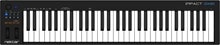
Nektar Impact GX61
Tuotenumero 1060376€111,00/kpl€89,00/kplOsta -
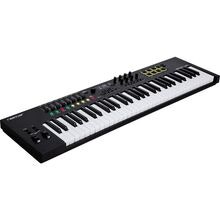
Nektar Impact LX61mk3
Tuotenumero 1093732€198,00Osta -
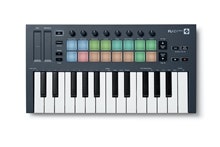
Novation FLKey Mini
Tuotenumero 1076156€112,00/kplOsta -

KORG microKEY2 61 USB Controller Keyboard
Tuotenumero 1047074€145,00/kplOsta
Muut ostivat myös:
-
Roland RMC-B10 3m Microphone Cable
Tuotenumero 1082045€21,90Osta -
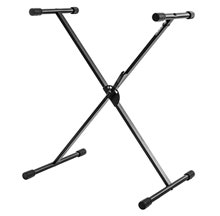
Nomad NKS-K119 Keyboard Stand
Tuotenumero 1047581€36,00/kplOsta -
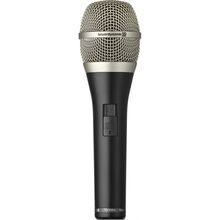
Beyerdynamic TG V50 s - Handheld vocal mic
Tuotenumero 1092032€119,00Osta -
Roland RMC-B15 4,5m Microphone Cable
Tuotenumero 1082046€24,90Osta -
AMP PM-4/25 7,5m Microphone cable
Tuotenumero 1001280€19,00/kplOsta -

Beyerdynamic DT 770 PRO X - Closed studio headphone
Tuotenumero 1092011€199,00Osta -
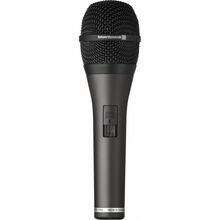
Beyerdynamic TG V70 s - Handheld vocal mic
Tuotenumero 1092033€199,00Osta -
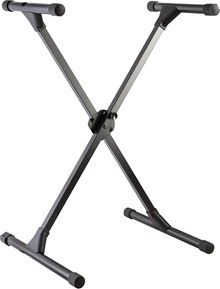
K&M RUKA 37230 Keyboard Stand
Tuotenumero 1080723€30,00/kplOsta